
Drop in the PDF
A scan, an image-only document, or a form whose boxes refuse to behave.
Upload a scan, image PDF or stubborn form. PDFSight finds the fields, guides you through what it needs, and gives you back a completed PDF.
Works with scans, image PDFs and documents without usable form fields.

PDFSight keeps the visible workflow short. You bring the document, answer what the form asks, and keep the finished file.
A scan, an image-only document, or a form whose boxes refuse to behave.
Review what was detected and provide the information the document needs.
Inspect the result and download a completed PDF you can actually use.
A scan can look exactly like a form and still contain no real fields. That usually means printing, annotating, or manually lining text up in a PDF editor. PDFSight takes a different approach: first understand the form, then help you finish it.
One synthetic registration fixture, shown across the actual workflow. No manufactured dashboard and no customer data.
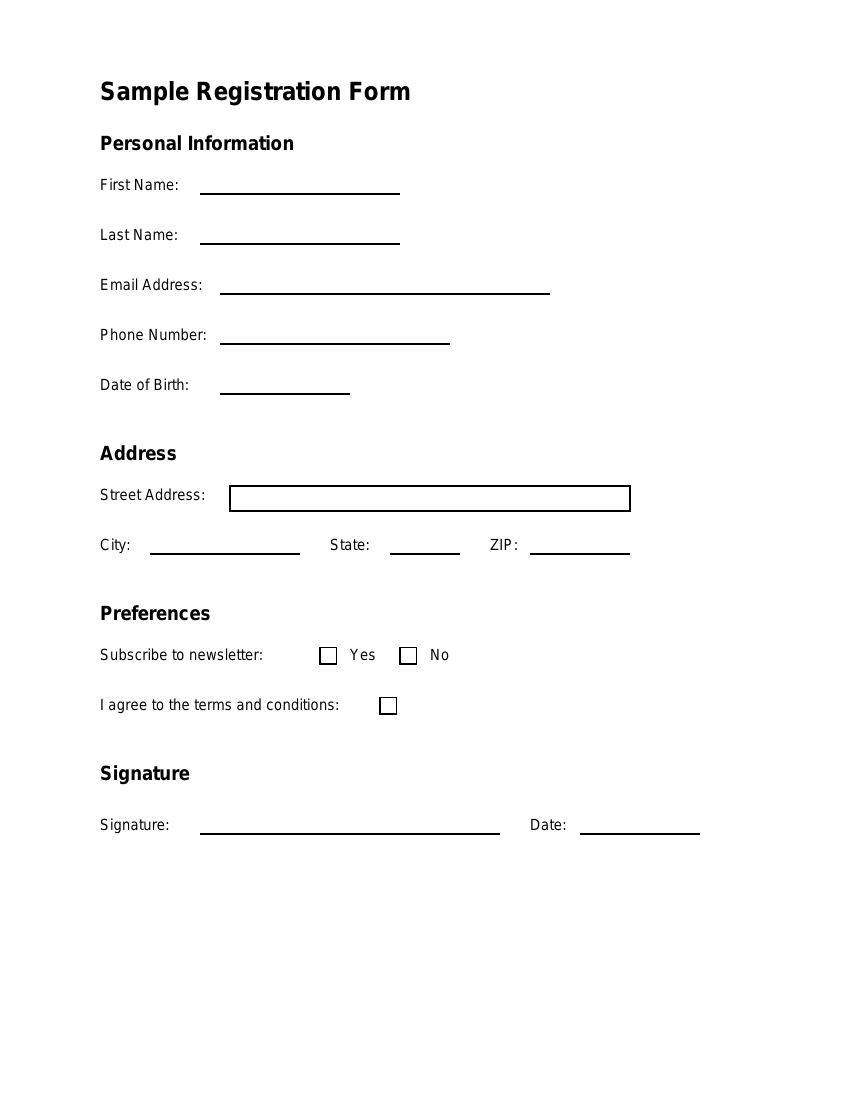
The page is readable to a person but does not provide the workflow yet.
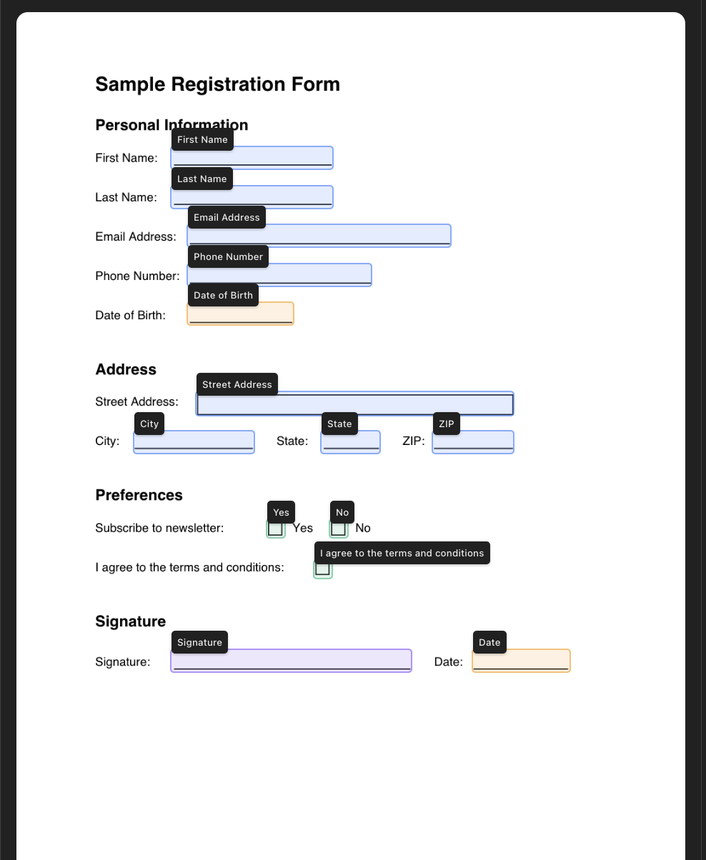
Detected labels, types and positions turn the visible page into usable structure.
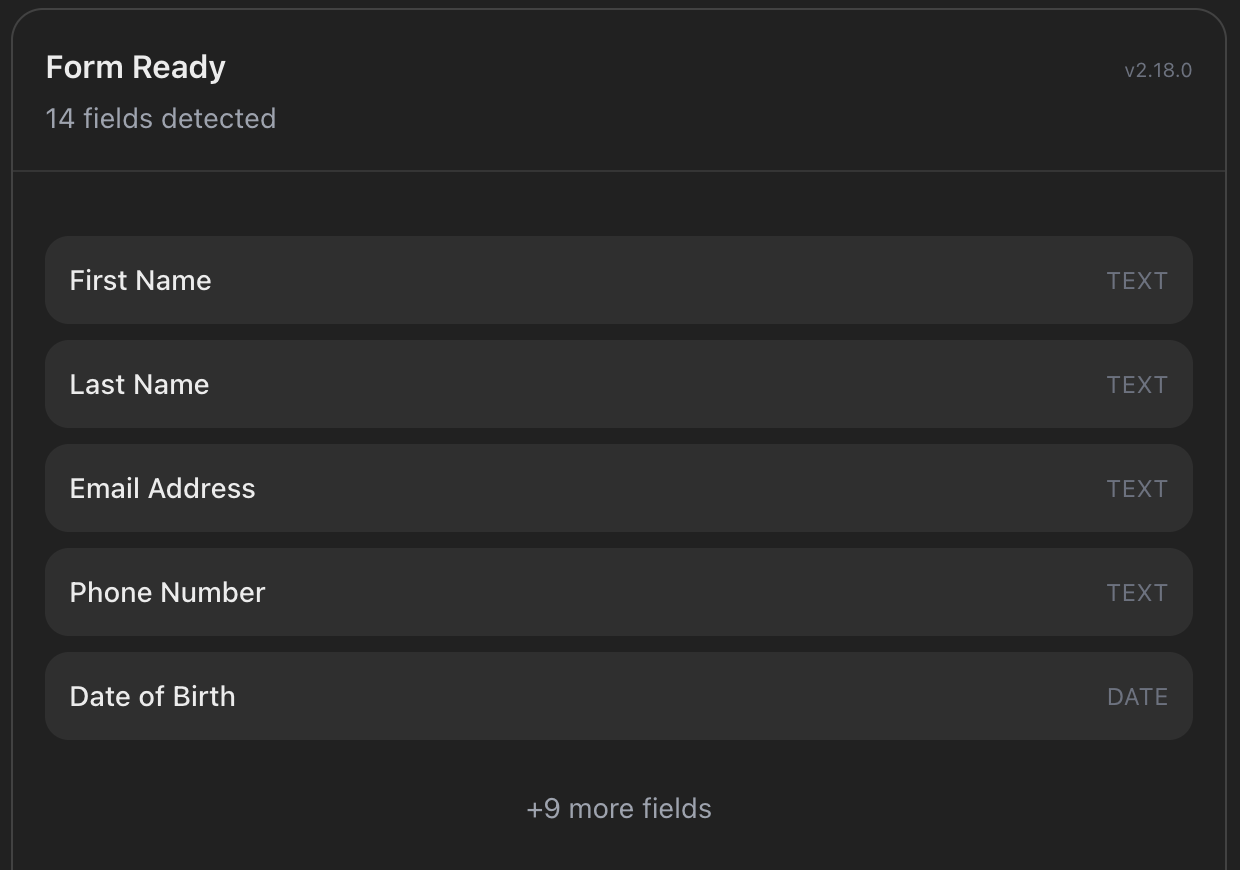
The person stays in the loop before values are placed into the document.
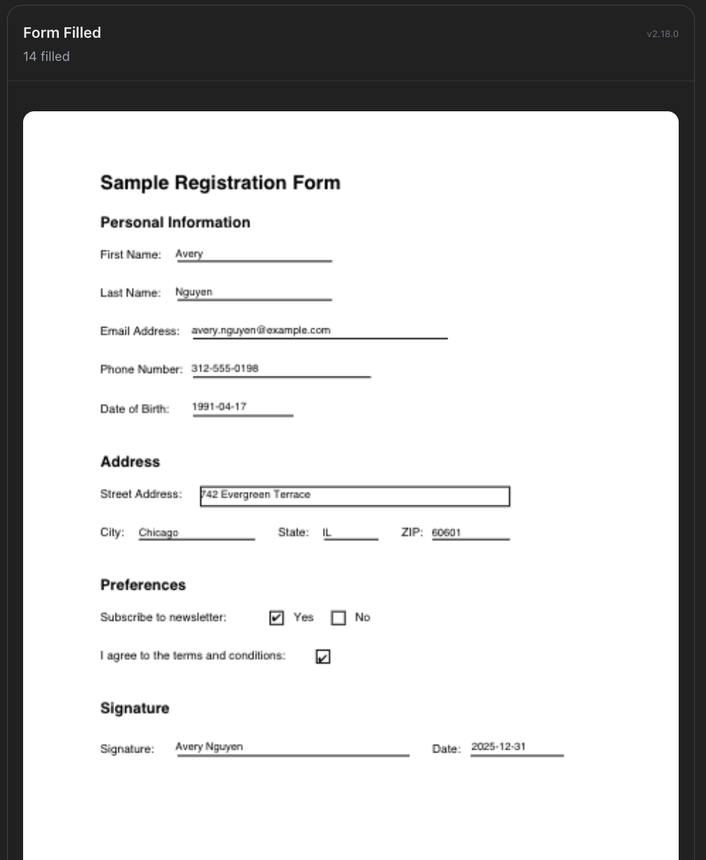
A completed document is ready to inspect, download and use.
Fixture provenance: repository-owned synthetic form used for repeatable testing.
Explore the evaluationsThe visible page becomes explicit structure, the structure becomes a guided conversation, and the answers return to the document.
The model helps interpret the page. PDFSight owns the workflow.
Friendly paperwork · serious machineryScans, images and documents without usable form fields are where the usual fill-and-sign flow tends to stop. PDFSight starts by interpreting the page itself.
See what PDFSight found and what the form needs. The workflow keeps interpretation, review and answer collection visible instead of hiding them behind a magic button.
The output stays a completed document you can inspect, download and use. The workflow is conversational; the deliverable is practical.
Download completed PDF ↓
PDFSight keeps temporary workflow state and artifacts only for the time needed to finish and deliver the document. These are the current default lifecycle windows; the privacy notice is the governing detail.
Read the privacy noticeExpires after an inactive working session.
Available while the guided workflow is active.
Short-lived delivery copies, when storage is enabled.
Links are narrower-lived than the underlying artifact.
PDFSight exposes a remote MCP endpoint designed for ChatGPT, Claude and compatible MCP Apps hosts. Connection availability and approval status depend on the host.
Platform names describe compatible connection paths, not marketplace approval, endorsement or universal availability.
See the evaluation evidence, inspect the workflow, or read the policies behind the friendly surface.
Bring the document. PDFSight will help you get through it.